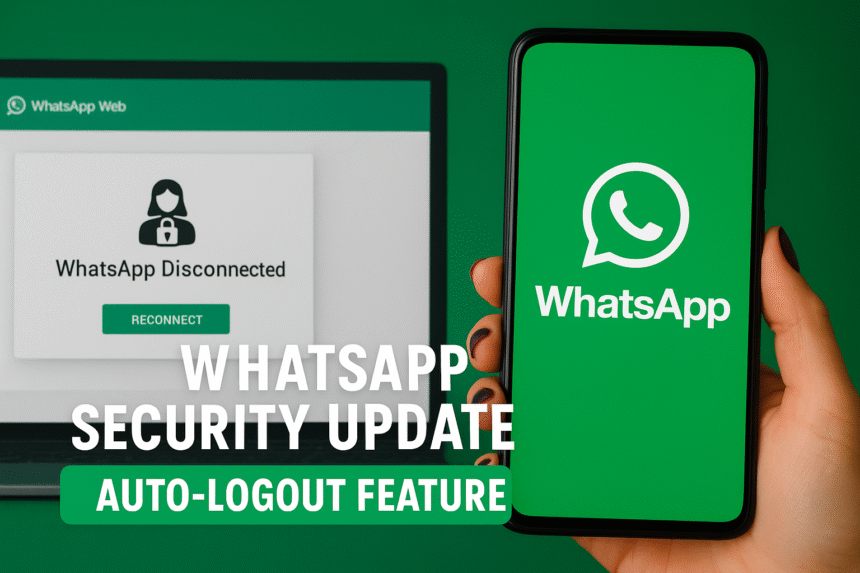
WhatsApp Introduces New Auto-Logout Feature to Prevent Cyber Fraud: What Users Must Know in 2025
TL;DR
WhatsApp has introduced a new security feature that will automatically log out inactive linked devices after six hours. This update aims to stop cybercriminals who misuse stolen SIM cards or WhatsApp Web sessions to access private chats. The feature strengthens account safety, reduces unauthorized access, and gives users better control over their devices. Full details, official clarifications, and global impact are explained below.
WhatsApp Rolls Out New Auto-Logout Feature to Fight Cyber Fraud: Full Explanation
WhatsApp, the world’s most widely used messaging platform, has started deploying a new global security update that introduces an automatic logout feature for inactive devices. This update is a part of Meta’s enhanced safety strategy against cybercrime, especially in regions where SIM card theft, online scams, and WhatsApp account misuse have been increasing at alarming rates.
For millions of users, WhatsApp is more than a messaging app – it is a digital identity, a communication hub, and a payment gateway. This makes security innovations like these essential. WhatsApp’s newest feature aims to protect users from unauthorized access, especially from criminals who take advantage of logged-in WhatsApp Web devices or phones with duplicated SIM cards.
In this detailed report, we break down what this feature is, why it was created, how it affects everyday users, and what cybersecurity experts are saying about it.
Why WhatsApp Introduced the Auto-Logout Feature
The new WhatsApp auto-logout feature was introduced after a rising number of cyber fraud cases involving:
- stolen SIM cards
- unauthorized WhatsApp Web login sessions
- cloned WhatsApp accounts
- cybercriminals accessing chats even when the phone wasn’t with the owner
Multiple cybersecurity agencies worldwide, including India’s CERT-In, have issued warnings about criminals using inactive WhatsApp sessions to retrieve OTPs, banking updates, and private chats.
WhatsApp’s new update ensures that any device that remains inactive for more than six hours will be logged out automatically and will require fresh authentication.
This aligns with Meta’s global Security effort to reduce digital fraud, as explained in their official safety documentation
How the Auto-Logout Feature Works
The feature will apply to:
- WhatsApp Web
- WhatsApp Desktop application
- Secondary devices connected via multi-device mode
Here’s how the system works:
- You log into WhatsApp Web or a linked device.
- If the device remains inactive for 6 hours, WhatsApp will automatically disconnect the session.
- The user will see a prompt saying “Your session has expired due to inactivity.”
- To log in again, you must authenticate using a QR code or device verification.
This prevents someone from secretly accessing your account through a forgotten or misused device.
WhatsApp Clarifies: “This Feature Is Not a Bug – It Is a Security Upgrade”
Some users reported sudden disconnections from WhatsApp Web or the desktop version and assumed it was a technical problem. However, WhatsApp officially confirmed that this is an intentional security mechanism.
Cyber experts have praised the update for its ability to block unauthorized users trying to access accounts in public spaces like:
- internet centers
- office computers
- shared laptops
- cyber cafes
By automatically logging users out, WhatsApp prevents misuse even if someone forgets to disconnect manually.
For further reference, WhatsApp provides security-related announcements on their official page.
Who Will Be Most Affected by This Update?
The new system will especially impact users who frequently use:
- WhatsApp Web for office communication
- Desktop apps for business
- Shared or public computers
- Multi-device logins for convenience
However, the feature strengthens privacy for:
- journalists
- business owners
- banking service users
- individuals with sensitive conversations
- people who travel frequently
From a cybersecurity point of view, this update reduces the attack surface dramatically.
How This Feature Helps in Preventing Cyber Fraud
Cybercriminals have been using various methods to access WhatsApp accounts illegally. The auto-logout feature counters multiple vulnerabilities:
1. Prevents SIM Swap Fraud
Even if someone manages to replicate your SIM card, they cannot retain permanent WhatsApp Web access.
2. Stops Unauthorized Access in Public Places
If you log in at a cyber café and forget to log out, WhatsApp will handle it for you.
3. Limits Criminal Surveillance
Hackers who depend on old login sessions cannot monitor chats anymore.
4. Reduces OTP Theft
Most banking OTP theft happens when someone has passive WhatsApp access. This update ends that possibility.
Global cybersecurity reports Google Safety Center show that messaging apps are key targets for criminals. A logout mechanism reduces vulnerability.
User Reactions: Mixed but Mostly Positive
Since the update announcement, user discussions across platforms like X (formerly Twitter) and Reddit show mixed feedback.
Positive reactions include:
- “Finally, WhatsApp is taking security seriously.”
- “Good update for people who use WhatsApp in shared systems.”
- “This will reduce online fraud cases.”
Concerns include:
- “Will this disturb my workflow?”
- “I use WhatsApp for office work all day – will it disconnect frequently?”
- “Hope the 6-hour window doesn’t shorten.”
WhatsApp has clarified that the feature will not interrupt active sessions, only idle ones.
Comparing WhatsApp With Other Messaging Platforms
WhatsApp’s new mechanism is similar to:
- Gmail’s auto-logout on suspicious activity
- Facebook’s automatic login expiration
- Telegram’s session timeout feature
This places WhatsApp among the more secure communication platforms today, especially for business users.
Steps Users Can Take to Enhance Security Further
To complement the auto-logout feature, users should follow these best practices:
1. Enable Two-Step Verification
Adds an extra layer of protection.
2. Avoid logging in from unknown devices
Use only personal or office-approved systems.
3. Check your “Linked Devices” list regularly
Remove any suspicious device immediately.
4. Update your WhatsApp app frequently
Security updates roll out regularly.
For official guidelines, refer to (external link: WhatsApp Help Center – Safety Tips).
Final Thoughts: A Strong Move Towards Safer Digital Communication
WhatsApp’s new auto-logout feature marks a significant milestone in global messaging security. At a time when cyber fraud has become more sophisticated, automatic logout prevents criminals from exploiting user negligence or inactive sessions.
The update is expected to reduce unauthorized access incidents dramatically and help millions of users stay safe online.
WhatsApp continues to introduce security upgrades regularly, and this new feature underscores their commitment to user privacy.
More global tech and security news → Todays Coimbatore world news